Tidy Cleaner - Quick Clean
- 4.4
- Rating
- 5.00M
- Installs
- Free
- Price

 Analysis by App-foxy
When my phone starts warning me about low storage, I usually want a quick answer rather than a complicated maintenance routine. That is the space where Tidy Cleaner - Quick Clean makes sense. It is a free Android tools app from Appsiko, built around the simple idea of finding removable clutter without turning storage management into a project. I found its appeal less in being an all-purpose phone optimizer and more in offering a focused first step when I need to reclaim room quickly.
The app is suitable for Everyone and has reached over one million installs, so it is clearly aimed at ordinary phone owners rather than technical users. Its average rating is 3.8, based on around 1,700 ratings, which suggests a useful but not universally smooth experience. That feels fair to me: a cleaner can be convenient, but it also needs to be handled carefully because “unnecessary” files are not always obvious. My overall impression is that this is best treated as a guided storage check, not as a magic button that should be trusted blindly.
How the current version feels in everyday use
The current release is version 1.1.5, and the app is compatible with Android 7.0 and later. That broad system support gives it a practical advantage for people using older phones that may not have the newest built-in storage tools. I also like that the basic proposition is easy to understand: open a tool, look for space that can be recovered, and decide what to remove. There is no need to learn a large suite of unrelated phone utilities before getting to the storage task.
You May Also Like

 Blood Strike: 2.5 Anniversary
Blood Strike’s Loadouts Turn Every Drop Into a Tactical Gamble
A close look at Blood Strike’s custom loadouts: how fast access to signature weapons reshapes its battle royale rhythm, rewards preparation, and narrows the gap between fights.

 Pandora - Music & Podcasts
Pandora’s Music Is Easy to Start, but Harder to Recover
Pandora’s strength is its low-effort path from a seed to a station. Its weak spot is how much confidence it asks you to place in connection, setup, and quiet recovery.

 8 Ball Pool
 Is Built on Rivalries, Rematches, and Routine
A close look at the rivalries, rematches, shared routines, and unanswered safety questions that turn a quick pool match into a persistent mobile community.

 Samsung Music
’s Quiet Strength Is Playing What You Already Own
Its reach comes less from spectacle than from dependable access to a personal library. That simplicity is both the app’s strongest retention engine and its ceiling.

 AccuWeather: Weather Radar
AccuWeather Review: A Quick, Clear Forecast for Everyday Decisions
For everyday plans, the best forecast is the one you can understand quickly. AccuWeather makes rain timing, radar, and local conditions easy to act on, with a few trade-offs.

 Hill Climb Racing
Why Hill Climb Racing Still Turns Crashes Into One More Run
A tiny car, a bumpy hill and one more upgrade: Hill Climb Racing keeps resurfacing because its simple chaos makes every near-miss feel personal.
More From Our News Desk



In my experience, the best moment to use it is before a predictable storage problem becomes urgent. For example, if I am preparing to record a long event, download music for a trip, or install a large game, I would rather inspect temporary clutter first than start deleting personal photos at random. The app fits that situation because it encourages a short cleanup session instead of making storage management feel like a weekly chore.
That simplicity is also its main limitation. A focused cleaner cannot replace a proper file manager, a photo backup service, or the storage screen built into Android. Those alternatives are often better when I need to understand exactly which folders are consuming space or when I want to move files instead of deleting them. I see this app as a convenient filter between “my phone is full” and “I need to investigate everything manually.”
A safer way to approach the first scan
I would not begin by accepting every cleanup suggestion immediately. My preferred workflow is to scan, pause, and inspect the categories or file groups presented before confirming anything. This matters especially on a shared phone, a device used for work, or a handset where offline downloads are important. Removing a disposable cache is very different from removing a downloaded document that I still need during a flight.
A useful habit is to run the cleaner when I have time to check the result afterward. If an app claims to have recovered space, I would confirm the change in Android’s storage settings rather than relying only on a celebratory message. That second check is not exciting, but it helps distinguish genuinely freed storage from a reorganized list or a small temporary improvement.
I also recommend keeping personal media outside the “quick clean” mindset. Photos, videos, voice recordings, and downloaded files often have more value than their filenames suggest. If the goal is to make room, I would first remove items I can identify with confidence, such as abandoned downloads or disposable temporary material, then use a file manager for anything ambiguous. Speed is useful only when it does not replace judgment.
Where it fits beside Android’s own tools
Android already includes storage controls, and those controls remain the better choice when I want a complete overview of applications, media, and large files. They are also the natural place to uninstall an app, clear its data, or check how much space a particular application occupies. A dedicated cleaner becomes more attractive when I want a simpler, more focused pass and do not want to navigate several settings pages.
Compared with a full file manager, this app should be easier for someone who does not recognize folder structures or temporary file types. The trade-off is control. A file manager lets me rename, move, archive, and inspect files in detail, while a quick-clean tool is designed around faster decisions. For advanced users, that limited control may feel restrictive; for a family member who just wants a clearer phone, it may be exactly the right level of assistance.
It also differs from cloud photo services. A backup service can help me preserve media and then remove local copies, but that involves accounts, uploads, network access, and decisions about what should remain available offline. Tidy Cleaner is more immediate because it addresses local storage directly. It is not a backup strategy, and I would never use it as one.
What the release information tells me about its direction
The app was released on November 12, 2025, and version 1.1.5 is still an early point in its product life. That makes me view the current experience as a foundation rather than a finished storage-management ecosystem. The useful question is not whether it already does everything larger utilities do; it is whether its central cleanup workflow is clear enough to earn a place on a phone.
At this stage, the strongest evidence is the product’s continued availability in a current release and its adoption by more than one million users. I would interpret that as interest in a straightforward cleaning tool, not proof that every device will produce the same results. Storage layouts differ widely between phones, Android versions, and personal habits, so the quality of a scan can feel more valuable on one device than another.
I am careful not to turn the version number into a promise about future functions. A newer release can improve stability or refine the existing flow without becoming a full device optimizer. For someone deciding whether to install it today, the sensible expectation is a compact storage helper. I would not install it expecting battery optimization, performance tuning, or a complete privacy audit unless those capabilities are clearly presented inside the app itself.
What existing users should expect after updating
For someone already using an earlier release, the current version should be judged by the everyday cleanup experience rather than by a dramatic change in the app’s identity. The core value remains convenience: opening a tool that helps turn a vague storage warning into a list of possible actions. If that workflow already suits you, the current release is a reasonable continuation of the same idea.
Existing users should still review cleanup results after an update instead of assuming that familiar categories behave exactly as before. Any storage tool can change how it groups files, labels suggestions, or presents confirmation steps. Even a small interface adjustment can affect whether I notice an important file before deleting it. My practical advice is to make the first cleanup after an update a cautious one, using a device with a little spare time rather than doing it moments before an important download.
The low barrier to entry is another reason it can work well for households. Since it is free, I can recommend it as a first experiment without asking someone to commit money. Still, free does not mean consequence-free: the real cost of a poor cleanup decision is losing something useful. I would explain that to a less technical user before handing over the phone and let them know that a cleaner is an assistant, not an authority.
Small workflows that make it more useful
One practical workflow is to use it before uninstalling applications. I first identify whether the problem is genuinely unused files or simply one large app I no longer need. If a cleanup recovers very little, that is a useful signal: the next step should probably be Android’s app-management screen, not repeated scans. This prevents me from running the same cleanup again and expecting a different result.
Another is to pair a cleanup with a manual download review. Messaging apps, browsers, and streaming services can leave behind files that I recognize only when I open the relevant app. I would use Tidy Cleaner for the quick pass, then check my browser and offline-content lists separately. This two-stage method is slower than a single tap, but it reduces the chance of deleting something that I intentionally saved.
A third useful habit is to measure success by what I can do afterward. If the phone now has enough room for a system update, a work attachment, or a planned recording, the cleanup achieved its purpose. If I am repeatedly short on space despite cleaning, the underlying issue is probably large media, too many installed apps, or a device with limited capacity. In that case, a file-by-file review or external storage solution is more appropriate than treating the cleaner as a recurring cure.
Where the app still falls short
The biggest friction is the trust problem shared by nearly every cleaner. I need to understand why a file is considered removable before I confirm the action. A short label may be enough for an experienced user but not for someone who cannot tell the difference between a temporary item and an offline file they deliberately saved. Clear explanations and strong review steps matter more to me than flashy animations or aggressive claims about performance.
I also would not expect a cleaner to make an older phone feel new. Recovering storage can help when the device is genuinely full, but it does not automatically improve a weak battery, a slow processor, poor network coverage, or an overloaded app. If the phone is sluggish while plenty of storage remains available, I would investigate background applications, system updates, or hardware age instead of repeatedly cleaning.
Another limitation is that storage problems are personal. My largest files may be videos, while another user’s space may be consumed by games or downloaded documents. A general quick-clean approach can save time, but it cannot know the importance of every file to me. That is why I prefer using the app for obvious clutter and switching to Android’s detailed controls when the decision becomes personal or high-risk.
People who want advanced automation may also find it too modest. If I were looking for scheduled maintenance, detailed folder rules, duplicate-photo management, or a visual breakdown of every storage category, I would compare dedicated alternatives before settling here. The app’s strength is its narrow purpose; asking it to replace several specialized tools would make the experience disappointing.
Who should install it, and who should skip it
I would recommend it to someone who wants a free, approachable way to begin cleaning an Android phone, especially if navigating system settings feels tedious. It is also a sensible option for older compatible devices, where a simple tool can be easier to use than a crowded utility suite. People who regularly run out of room before downloads or recordings may appreciate having a fast first check.
I would skip it if I already understand Android’s storage screen and prefer complete manual control. I would also look elsewhere if my main need is photo backup, duplicate detection, app migration, secure file shredding, or detailed storage analysis. Those are different jobs, and choosing a tool designed specifically for them will usually produce a clearer result than stretching a quick cleaner beyond its purpose.
Families should take an extra moment before using it on a shared device. A parent might value the simplicity, while a teenager could have offline playlists, school files, or game data that looks disposable at a glance. I would demonstrate the review step first and avoid presenting any cleaner as something that can safely be handed to a child without supervision.
What I would watch as the product develops
Because Appsiko’s tool is still relatively early in its release history, I would watch for improvements that make decisions more transparent rather than simply adding more buttons. Better explanations for each cleanup category, clearer previews, and easy ways to exclude important folders would make the app more trustworthy. Those changes would help both beginners and experienced users without changing its quick-clean identity.
I would also look for a stronger distinction between reclaiming storage and claiming to improve general performance. Those ideas are often mixed together in cleaner apps, even though they are not the same. A precise experience that tells me what was found, what will be removed, and what benefit I should realistically expect would earn more confidence than broad promises.
For now, the release information points to a young, focused Android utility rather than a mature all-in-one maintenance platform. That is not necessarily a weakness. A narrow app can be easier to understand and less distracting, provided its cleanup suggestions are presented responsibly. The average rating of 3.8 shows that the experience is useful for many people but leaves room for refinement, so I would keep expectations practical.
My final view is that Tidy Cleaner - Quick Clean is worth trying when I need a simple storage check and do not want to dig through Android settings. It is free, supports Android 7.0 and later, and its Everyone rating makes it approachable for a broad audience. I would use it as the first pass before a trip, a large download, or a recording session, then verify important files manually. If you want detailed control or a broader phone-maintenance suite, another option will suit you better; if you want a straightforward starting point, this app earns a place on the shortlist.
FAQs for Tidy Cleaner - Quick Clean
01What features does Tidy Cleaner - Quick Clean offer?
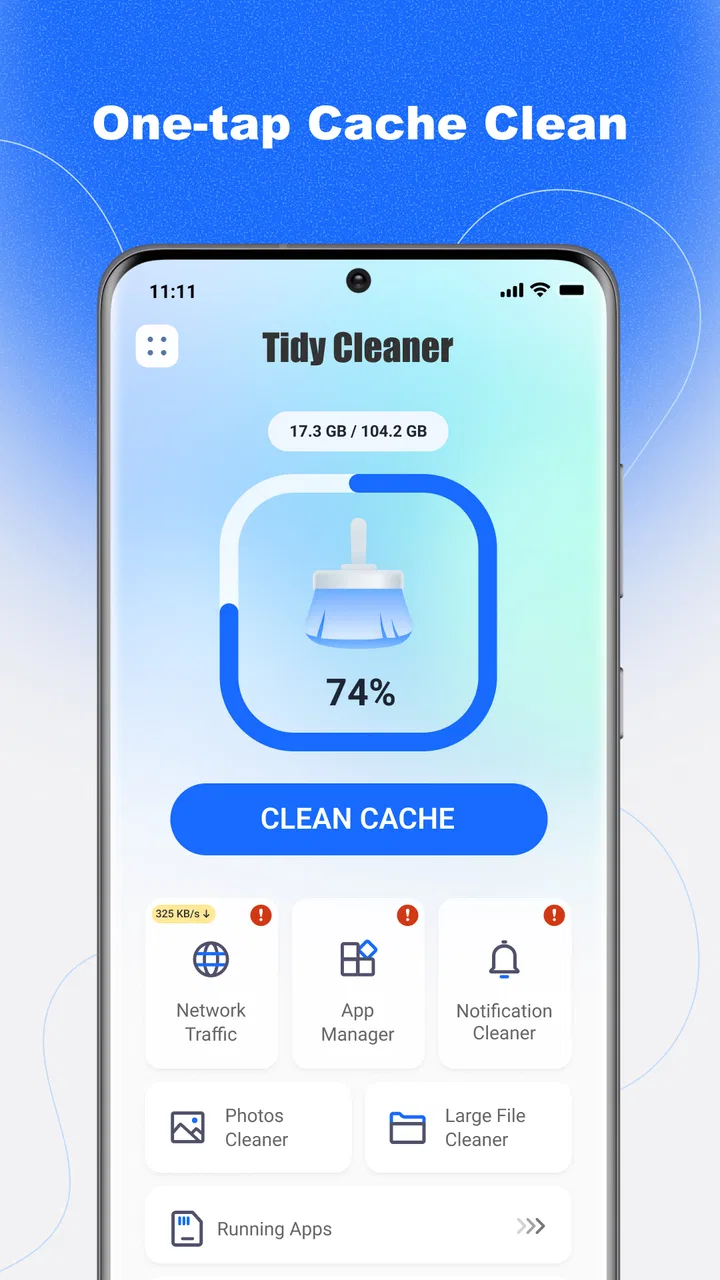
Tidy Cleaner - Quick Clean provides a range of features designed to optimize your device's performance. It includes junk file removal, memory boosting, battery saving, and CPU cooling. The app also offers a user-friendly interface with one-tap cleaning, making it easy for users to maintain their device's speed and efficiency.
02Is Tidy Cleaner - Quick Clean safe to use?
Yes, Tidy Cleaner - Quick Clean is safe to use. The app is designed with user privacy and security in mind. It requires minimal permissions and does not access personal data. Always ensure you download the app from a reputable source like the Google Play Store or Apple App Store to avoid counterfeit versions.
03How often should I use Tidy Cleaner - Quick Clean?
The frequency of use depends on your device’s performance and storage needs. Generally, using Tidy Cleaner - Quick Clean once a week should suffice for regular maintenance. However, if you notice a slowdown or lack of storage space, more frequent use may be beneficial to keep your device running smoothly.
04Does Tidy Cleaner - Quick Clean affect battery life?
Tidy Cleaner - Quick Clean is designed to improve battery life rather than drain it. By cleaning junk files, optimizing memory, and managing apps, the app helps reduce unnecessary battery consumption. It also includes a battery saver feature that identifies and closes power-draining apps, extending your device’s battery life.
05Is Tidy Cleaner - Quick Clean free to use?
Tidy Cleaner - Quick Clean offers both free and premium versions. The free version provides basic cleaning and optimization features, while the premium version unlocks advanced tools and ad-free usage. Users can choose to upgrade to premium for enhanced functionality, depending on their needs and preferences.
Pros
- Intuitive interface for easy navigation.
- Efficient junk file removal.
- Boosts device performance significantly.
- Customizable cleaning options.
- Low resource usage.
Cons
- Ads can be intrusive.
- Limited features in free version.
- Occasional false positives in scans.
- Requires frequent manual updates.
- No dark mode available.

Tidy Cleaner - Quick Clean
Gallery